Intro
FYI: I’m currently revisiting this post. If you’ve got any questions, hit me up: links at the end! Thank you!
The creation of chords and stabs remains one of the most frequently asked questions on music production forums. Specificly about those floating-around-your-head chords as heard in nowadays dubstep, dubtechno and related genres. The building blocks are actually quite basic stuff, nevertheless many people think way too complex. This is an Ableton Live tutorial, mostly using its internal resources unless otherwise specified. Let’s have a look.
Ingredients
– A basic polyphonic synth (TAL U-NO 62 VSTi)
– A delay (Ableton Ping Pong Delay)
– A reverb (Ableton Reverb)
– A chorus (Ableton Chorus)
– An EQ & compressor (Ableton EQ8 & compressor)
About chords and scales
Before tweaking the synth and setting up the effects, a few words about chords and scales: they set the mood. The most prominent one in dub-related genres is the minor scale (if you’re not firm with scales, here’s a very handy tool for learning them).
Yes, that’s Captain Obvious at work. At the same time: how often are people browsing synth presets thinking “yeah, that’s close–but not really” unable to find the what they’re looking for? Been there, done that, too. Suggestion: first set the mood by figuring out which chord you’re after. Then sift through presets. It’ll save you a lot of time and frustration.
If you don’t have a midi keyboard, experiment with Ableton’s chord utility. Try inversions and complex ones. Spread notes across octaves. Make mistakes. Truth is: I’m a really shitty keyboard player. I see a lot of artists sharing this sentiment. Yet they always find ways to experiment their way to interesting chords. I sometimes sit in front of my midi keyboard trying combinations of keys I haven’t tried before. In the end, nobody will cares about how you got to the result. The point is: spend more time finding chords that suit you. It’ll be worth it.
The synth sound
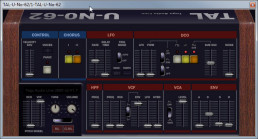
So, the sound we’re after is a short and stabby one, usually with fast attacking volume and filter envelope as well as short decay and release. In order to put the filter envelope in charge it’s necessary to take the filter cutoff down and raise the filter envelope amount to its max. The synth i’m using for this is the free TAL Uno-62. As you can hear it doesn’t sound fancy at all, but as soon as you play for example a C-minor chord from the lower octaves, the dubish mood is already in place.
Adding effects: chorus
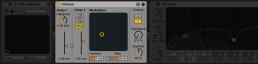
In this case let’s place the chorus first: for adding both width and movement, making the sound a little bit more interesting. Ableton Live’s internal one works well enough. How important is the position of a chorus in an effects chain? It depends:
A chorus internally operates with short, modulated delay lines panned into the stereo field (unless restricted to mono). It adds spacial dimension. If you’d rack it post delay and/or reverb, both effects creating more spacial density, depending on the amount of chorus you’re adding the space becomes even wider, eventually blurry and muddy. And tougher to strike a balance between dry and wet ratios between the effects. At least in a linear setup like this.
If you’re regularly struggling with muddiness and are frequently using choruses: check your wet/dry balance and placement.
In contrast I like using them subtly (max: 75% dry/25% wet) at the end of send effect chains.
EQ
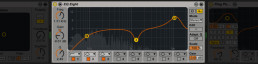
The purpose of the equalizer at this stage is about shaping the sound, creating character, un-boring the thing. If you’ve heard about subtractive EQing already, never boosting much and steeply and this is making you cringe right now wondering who or what is right:
It’s true when we’re about to tame the mix. Or EQing while mastering. At this point right now I’m saying: go as extreme as you like. Think about it as a multiband filter. Not as a corrective instance. If you’re running into severe mixing issues you can still tame it again later.
Right now let’s stress the attack by cutting the low end, notching a bit of the mids and boosting high frequency content. Watch your levels though, avoid clipping by any means necessary at any stage in your effect chain.
Delay

Live’s Ping Pong Delay is capable enough for the start. Granted, it doesn’t come with the crunch of analog modelled ones: noise and a feedback path able of eating itself. If I rewrote this tutorial for Ableton 10, you’d maybe find its new echo device here.
Then again, it’s is equipped with so many options, it might get overwhelming. Since this is a tutorial for starters, let’s focus on the most important things.
A detail I personally like about good old Ping Pong is its ability to offset the delay time from the grid. If everything is perfectly quantized things become dull and boring too easily. Especially when raising the feedback amount. A bit offset adds that tiny bit of movement > groove.
If you fancy spicing up the delay some more: automate the filter frequency.
Reverb
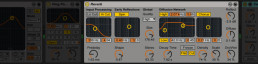
“Why do you place the reverb after the delay and not vice versa?”
If you think about the delay as another layer of groove it might become obvious: depending on the reverbs’ decay time, filter settings and width, it easily overlaps with the time of the delay. Building up too much density, becoming muddy. It can easily occupy too much space with that combination.
The one thing that’d help would be lowering the delays’ feedback. Bringing up the question: why use a delay at all? Dynamics processors also won’t be able to grab transients that easily. Hence: delay first, reverb second.
Then again, I like using it the other way around with short rooms which don’t exceed the delays’ timing. It always depends.
If your reverb feels like it’s a bit out of place, doesn’t blend well with the mix: check the width of the stereo effects in your track. You probably want to create a coherent space. Cranking up the stereo image of a reverb is the easiest and most often overlooked way of compromising that.
Compression
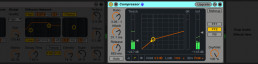
Yeah, still rewriting this. Anyway, use a compressor. Goal: finding attack/release ratios working well with the tempo of your track. To continuously bring up the fading tail along with the delay in a groovey, breathing way.
I suggest setting up compressors like this:
Set attack time to around 30ms, release and compression ratio both to maximum and start lowering the threshold until compression becomes tangible. Next, raise the release time (I wish it was properly labelled ratio, but that’s a different story) until you it starts ‘swinging’ with the groove of the delay.
Once you found settings that work, adjust both compression ratio and threshold until it feels right for you. For the record, that’s something I always sanity check in the context of the mix. Along with the other elements of the track.
Want some more?
» Check my 2 hours Dub Techno masterclass
» Download my free pack of loops and stabs samples
Last not least: I’m happy about your support! Got any further questions or wishes for future posts? Don’t hesitate asking on Twitter or at YouTube. Sharing is still caring, too. You can also make me post a pic of me toasting a beer to you by donating a buck or two on PayPal (don’t forget your Twitter handle, name, whatever).